
The Great C# Async Universe — Clearing the Confusion Around Task, ValueTask, async/await, IEnumerable & IAsyncEnumerable
A no-nonsense guide that finally makes everything click.

If you’re new to C#, the async world feels like a galaxy full of mysterious planets:
Task
ValueTask
async / await
IEnumerable
IAsyncEnumerable
yield return
yield break
ThreadPool
SynchronizationContext
ConfigureAwait
For content overview videos
https://www.youtube.com/@DotNetFullstackDev
All floating around, all connected somehow, yet nobody clearly explains how.
Today, we’ll clear the entire sky — not with theory, but with real-life analogies and C# code that make everything stick forever.
Imagine this blog as a guided tour through the C# async universe.
1 — The Core Idea: Synchronous vs Asynchronous
Let’s begin with the root question:
Why do we even need async?
Real-world analogy:
You walk into a restaurant.
The chef cooks one order at a time.
If someone orders biryani (takes 30 minutes), the rest wait.
That’s synchronous execution — one thing at a time.
Async is like:
Chef puts biryani on the stove → while it cooks, he makes dosa → then he makes chai → meanwhile biryani gets ready.
Chef is not idle.
Async != faster.
Async = not blocking the thread while waiting.
This keeps your app responsive and scalable.
2 — What Is a Task?
A Task represents a promise of a result in the future.
It’s like:
“I started making your pizza. I’ll notify you when it’s done.”
Task is a box that will contain the result eventually.
Task<int> CalculateAsync()
{
    return Task.FromResult(42);
}
Task is for async operations that:
run on another thread
depend on I/O
return later
complete in future
3 — async / await — The Storybook Explanation
async is a keyword for marking a method that can “pause”.
await is a keyword that pauses without blocking the thread.
Real-life analogy:
You order tea.
While tea is boiling, you scroll Instagram.
When the kettle whistles, you continue.
That is await.
public async Task<int> GetNumberAsync()
{
    await Task.Delay(1000); // not blocking
    return 10;
}
The compiler converts async methods into state machines.
4 — ValueTask — When Task Is Too Heavy
Task is a class → reference type → heap allocation.
If the result is often already available, using a full Task object is inefficient.
Example:
public Task<bool> IsOnlineAsync() => Task.FromResult(true);
This allocates a Task for no reason.
ValueTask solves this:
public ValueTask<bool> IsOnlineAsync() => new(true);
Benefits:
Avoids allocations
Faster in high-performance code
But:
More complex
Should be used in hot paths only
Avoid returning ValueTask from public libraries (unless needed)
Real-life analogy:
Task → costly UPS shipping box.
ValueTask → envelope.
Use big box only when necessary.
5 — IEnumerable — Synchronous Streaming
IEnumerable<T> lets you return items one-by-one, not the whole list.
public IEnumerable<int> GetNumbers()
{
    yield return 1;
    yield return 2;
    yield return 3;
}
This is synchronous streaming.
Real-life analogy:
You call a friend and ask him to read a book.
He reads line by line, one at a time.
You get each line immediately.
Better for:
large sets
streaming data
pipeline transformations
6 — IAsyncEnumerable — Asynchronous Streaming
But what if each item requires waiting?
Example:
Fetching 1 million records from DB but each chunk is I/O.
IAsyncEnumerable<T> streams items with async pauses.
public async IAsyncEnumerable<int> GetNumbersAsync()
{
    await Task.Delay(100);
    yield return 1;

    await Task.Delay(100);
    yield return 2;
}
Consume it using await foreach:
await foreach (var n in GetNumbersAsync())
{
    Console.WriteLine(n);
}
Real-life analogy:
Friend is reading a book to you but takes a sip of water between lines.
You don’t block.
You wait asynchronously.
7 — yield return and yield break
These keywords create an iterator (state machine).
yield return
Return next item without building a full list.
yield break
Stop the sequence.
public IEnumerable<int> Example()
{
    yield return 1;
    yield return 2;
    yield break;
    yield return 3; // never executed
}
Works for async too, in combination with await.
8 — ThreadPool vs async
Async does not create new threads.
It only frees the current thread during waiting operations.
CPU-bound work should use:
await Task.Run(() => HeavyWork());
I/O-bound work should never use Task.Run.
9 — ConfigureAwait(false)
This is important for libraries.
It tells the runtime:
“I don’t need to resume on original context.”
Useful in:
libraries
background services
console apps
Not recommended in ASP.NET Core (context is already empty).
10 — Common Mistakes & Fixes
Mistake 1: Using .Result or .Wait()
var data = GetDataAsync().Result; // deadlock risk!
Correct:
var data = await GetDataAsync();
Mistake 2: Overusing async/await on simple methods
public async Task<int> Add() => 5 + 10; // unnecessary
Correct:
public int Add() => 5 + 10;
Mistake 3: Mixing I/O and CPU async incorrectly
await Task.Run(() => _db.Save()); // wrong
Correct:
await _db.SaveAsync();
Bringing It All Together — The Final Picture
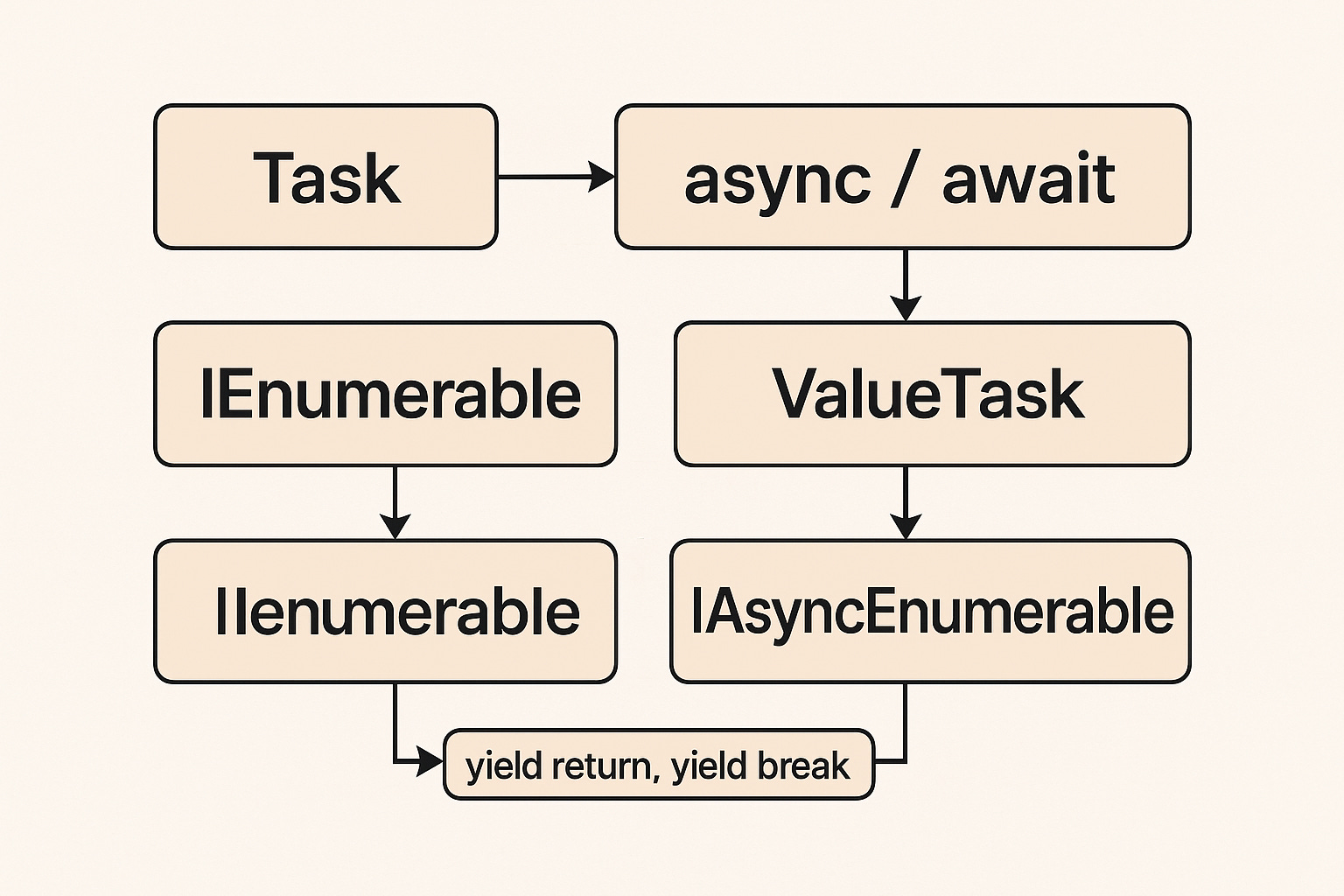
Here’s the big mental map:
IEnumerable<T>         → sync streaming
IAsyncEnumerable<T>    → async streaming
Task                   → async result in future (heap)
ValueTask              → lightweight async result (stack/struct)
async/await            → pause & resume machine
yield                  → streaming without list
await foreach          → async streaming loop
Everything fits neatly.
Keep the Momentum Going — Support the Journey
If this post helped you level up or added value to your day, feel free to fuel the next one — Buy Me a Coffee powers deeper breakdowns, real-world examples, and crisp technical storytelling.
Final Thought — Async Isn’t Hard. It Was Just Never Explained Simply.
Once you know:
what Task is (a promise)
what async/await does (pause & resume)
when ValueTask matters (performance)
how IEnumerable streams data
how IAsyncEnumerable streams asynchronously
…then everything starts making sense.
You stop fearing async.
You start using it properly.
You become a faster, smarter, clearer C# developer.