
Jenkinsfile in a .NET Solution
A senior dev’s practical guide for freshers (what it is, why it matters, and how we actually use it)

When a fresher joins my team, they think CI/CD is “some DevOps thing” that happens after coding.
No.
In real projects, your code isn’t “done” until Jenkins proves it can build, test, and ship it.
And the Jenkinsfile is the contract that defines that proof.
If your Jenkinsfile is weak, your delivery is weak. Simple.
https://www.youtube.com/@DotNetFullstackDev
What is a Jenkinsfile (in plain words)
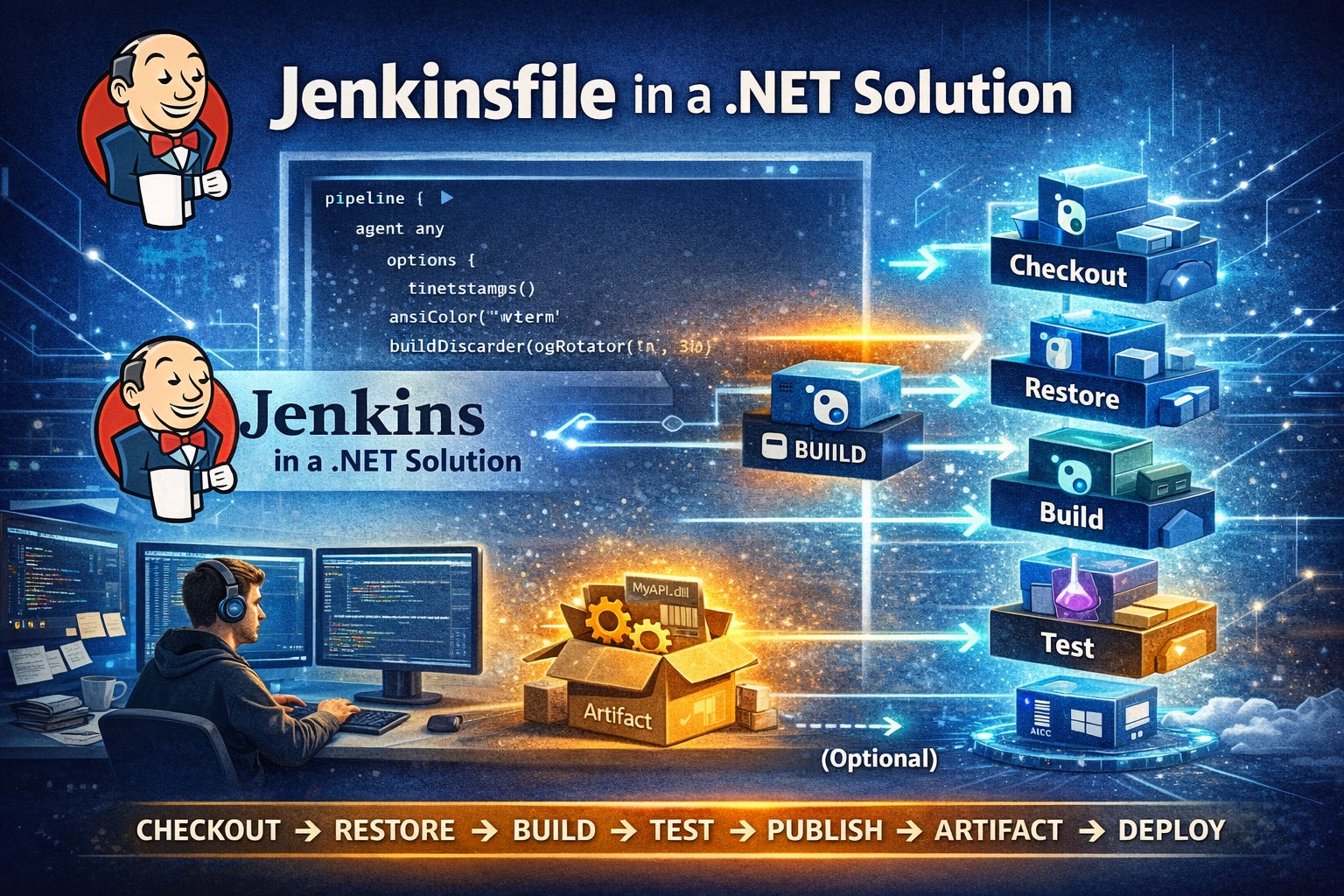
A Jenkinsfile is a text file (checked into your repo) that tells Jenkins:
how to pull the code
how to restore dependencies
how to build
how to run tests
how to publish artifacts
how to deploy (optional)
It turns your build pipeline into version-controlled code.
So instead of “Jenkins UI configuration jungle”, you get Pipeline as Code.
Where it sits in a .NET repo
Typical structure:
MySolution/
  src/
    MyApi/
    MyLib/
  tests/
    MyApi.Tests/
  Jenkinsfile
  MySolution.sln
Put Jenkinsfile at repo root unless you have a strong reason not to.
What a good Jenkins pipeline does for .NET
A clean pipeline usually has these stages:
Checkout
Restore
Build
Test (with coverage)
Publish (build output)
Archive artifacts
Optional: Quality gates (Sonar), security scans, docker build, deploy
This is not “extra”.
This is basic engineering hygiene.
A solid Jenkinsfile for .NET (Linux agent)
This is a working baseline for most teams.
pipeline {
  agent any

  options {
    timestamps()
    ansiColor(’xterm’)
    skipDefaultCheckout(true)
    buildDiscarder(logRotator(numToKeepStr: ‘30’))
  }

  environment {
    DOTNET_CLI_TELEMETRY_OPTOUT = ‘1’
    DOTNET_NOLOGO = ‘1’
    CONFIGURATION = ‘Release’
    SOLUTION = ‘MySolution.sln’
    TEST_RESULTS_DIR = ‘TestResults’
  }

  stages {

    stage(’Checkout’) {
      steps {
        checkout scm
        sh ‘dotnet --info’
      }
    }

    stage(’Restore’) {
      steps {
        sh “dotnet restore ${SOLUTION}”
      }
1    }

    stage(’Build’) {
      steps {
        sh “dotnet build ${SOLUTION} -c ${CONFIGURATION} --no-restore”
      }
    }

    stage(’Test’) {
      steps {
        sh “”“
          mkdir -p ${TEST_RESULTS_DIR}
          dotnet test ${SOLUTION} -c ${CONFIGURATION} --no-build \
            --logger “trx;LogFileName=test-results.trx” \
            --results-directory ${TEST_RESULTS_DIR}
        “”“
      }
      post {
        always {
          junit allowEmptyResults: true, testResults: “${TEST_RESULTS_DIR}/**/*.trx”
          archiveArtifacts allowEmptyArchive: true, artifacts: “${TEST_RESULTS_DIR}/**/*”
        }
      }
    }

    stage(’Publish’) {
      steps {
        sh “”“
          rm -rf out || true
          dotnet publish src/MyApi/MyApi.csproj -c ${CONFIGURATION} --no-build -o out/MyApi
        “”“
      }
    }

    stage(’Archive Build Output’) {
      steps {
        archiveArtifacts artifacts: “out/**”, fingerprint: true
      }
    }
  }

  post {
    success {
      echo “✅ Build + Test + Publish succeeded.”
    }
    failure {
      echo “❌ Pipeline failed. Fix it before you touch anything else.”
    }
    always {
      cleanWs(deleteDirs: true, disableDeferredWipeout: true)
    }
  }
}
What this does (in fresher language)
restore: downloads NuGet packages
build: compiles solution
test: runs tests + stores results
publish: creates deployable output (dlls + config)
archive: stores the output in Jenkins as a downloadable artifact
Windows agent version (if your org uses Windows nodes)
Just replace sh with bat and path formatting.
pipeline {
  agent any

  options {
    timestamps()
    skipDefaultCheckout(true)
    buildDiscarder(logRotator(numToKeepStr: ‘30’))
  }

  environment {
    DOTNET_CLI_TELEMETRY_OPTOUT = ‘1’
    DOTNET_NOLOGO = ‘1’
    CONFIGURATION = ‘Release’
    SOLUTION = ‘MySolution.sln’
    TEST_RESULTS_DIR = ‘TestResults’
  }

  stages {

    stage(’Checkout’) {
      steps {
        checkout scm
        bat ‘dotnet --info’
      }
    }

    stage(’Restore’) {
      steps {
        bat “dotnet restore %SOLUTION%”
      }
    }

    stage(’Build’) {
      steps {
        bat “dotnet build %SOLUTION% -c %CONFIGURATION% --no-restore”
      }
    }

    stage(’Test’) {
      steps {
        bat “”“
          if not exist %TEST_RESULTS_DIR% mkdir %TEST_RESULTS_DIR%
          dotnet test %SOLUTION% -c %CONFIGURATION% --no-build ^
            --logger “trx;LogFileName=test-results.trx” ^
            --results-directory %TEST_RESULTS_DIR%
        “”“
      }
      post {
        always {
          junit allowEmptyResults: true, testResults: “%TEST_RESULTS_DIR%/**/*.trx”
          archiveArtifacts allowEmptyArchive: true, artifacts: “%TEST_RESULTS_DIR%/**/*”
        }
      }
    }

    stage(’Publish’) {
      steps {
        bat “”“
          if exist out rmdir /s /q out
          dotnet publish src\\MyApi\\MyApi.csproj -c %CONFIGURATION% --no-build -o out\\MyApi
        “”“
      }
    }

    stage(’Archive Build Output’) {
      steps {
        archiveArtifacts artifacts: “out/**”, fingerprint: true
      }
    }
  }

  post {
    always {
      cleanWs()
    }
  }
}
The “real-world” upgrades senior teams add
1) Branch-based behavior (main vs feature)
You don’t deploy feature branches.
when { branch ‘main’ }Example:
stage(’Deploy’) {
  when { branch ‘main’ }
  steps {
    echo “Deploying only from main...”
  }
}
2) Multi-branch Pipeline (how teams run Jenkins in 2026)
In Jenkins, you create a Multibranch Pipeline job.
Then Jenkins automatically:
finds Jenkinsfile in each branch
runs PR builds
shows status on PR
This is how professional teams work. Not “click-build”.
3) Code coverage (real expectation)
Add coverage collector (example using coverlet built-in support):
dotnet test MySolution.sln -c Release --no-build \
  /p:CollectCoverage=true \
  /p:CoverletOutputFormat=cobertura \
  /p:CoverletOutput=TestResults/coverage/
Then publish cobertura report via a plugin if your Jenkins has it.
4) SonarQube Quality Gate (common in enterprises)
Typical flow:
Begin analysis
Build + Test
End analysis
Wait for quality gate
(Your exact code depends on how Sonar is configured in your org, but the concept is always this.)
5) Docker build (modern microservices)
If you ship containers:
stage(’Docker Build’) {
  steps {
    sh ‘docker build -t myapi:${BUILD_NUMBER} -f src/MyApi/Dockerfile .’
  }
}
Common fresher mistakes (and why seniors get angry)
❌ Mistake 1: Restore every time without caching
Your builds get slow, people stop trusting CI, and then quality dies.
Fix: Use Jenkins workspace caching or a persistent agent home so NuGet cache survives across builds.
❌ Mistake 2: “Build passed so we can skip tests”
Trash mindset.
Tests are part of the build.
❌ Mistake 3: Publishing from random branches
That’s how you deploy garbage to production.
❌ Mistake 4: Secrets inside Jenkins file
Never hardcode:
connection strings
API keys
tokens
Use Jenkins Credentials + environment injection.
What I tell every fresher on Day 1
If you want to become a strong .NET engineer:
Learn your code ✅
Learn your build pipeline ✅
Learn how the artifact is produced ✅
Learn how it gets deployed ✅
Because at senior level, you’re not paid for “writing code”.
You’re paid for delivering reliable software.