
Hazelcast + .NET: The Complete Beginner-to-Advanced Guide (with Real-Time Analogies & Code Samples)

If you’ve ever wished your .NET applications could:
scale faster
share cache across multiple servers
handle millions of operations per second
store data in-memory but distributed
outperform Redis in cluster scenarios
or build real-time systems like Uber, Netflix, or Shopify
…then Hazelcast is one of the most powerful tools you can learn.
This guide explains Hazelcast in simple language, with a real-world analogy, and gives you step-by-step .NET code examples.
For content overview videos
https://www.youtube.com/@DotNetFullstackDev
What is Hazelcast (In the Most Human Language Possible)?
Hazelcast is a distributed in-memory data grid (IMDG).
In plain terms:
It’s a superfast, shared in-memory storage system where multiple apps and servers can store and access data together.
Think of it as:
A cluster of RAM shared across machines
A very fast distributed cache
A compute grid for parallel workloads
A message/event platform
Hazelcast is used for:
Distributed caching
Session storage
Real-time analytics
Event streaming
Pub/sub messaging
Microservice coordination
Fast key-value storage
It also has built-in:
CP Subsystems (for strong consistency)
Cluster discovery
Automatic failover
Persistence (if needed)
SQL engine
And it integrates beautifully with .NET clients.
Real-Time Analogy: Pizza Counters in a Big Restaurant
Imagine you run a massive restaurant with 20 pizza counters.
Customers order pizzas nonstop.
If you stored all orders and workflow in one counter’s notebook:
Orders become slow
One counter becomes the bottleneck
A crash wipes everything
Other counters have no idea what’s going on
Hazelcast solves this by giving:
One big shared “in-memory board”
All pizza counters read & write together
If one counter crashes, other counters still hold the data
Notes (data) are replicated everywhere
Workload is distributed
That’s Hazelcast — a shared memory + shared computing system for your application servers.
Hazelcast Architecture in Simple Words
Hazelcast consists of:
1️⃣ Cluster (Servers / Members)
Java server nodes
Store data in memory
Replicate partitions
Perform compute operations
2️⃣ Clients
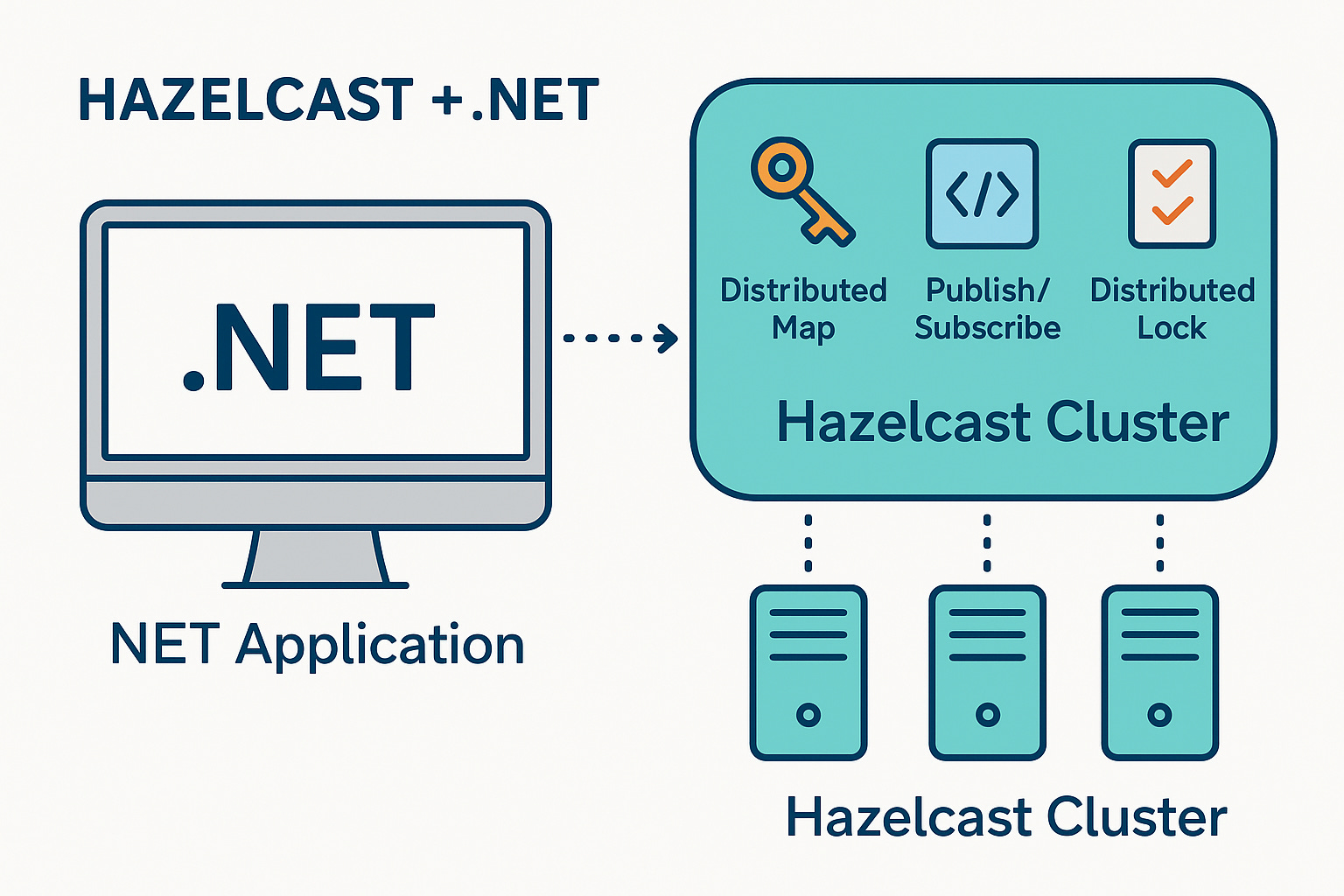
Your .NET application connects to the cluster as a client using Hazelcast .NET client libraries.
Clients can:
Get/put data into distributed maps
Publish/subscribe to topics
Execute queries
Run distributed locks
Use distributed queues
Execute entry processors
3️⃣ Data Structures
Hazelcast provides:
IMap (Distributed Dictionary)
MultiMap
IList / ISet
IQueue / ITopic
CP Subsystem for locks/semaphores
Setting up Hazelcast Server
Step 1 — Download Hazelcast
Download Hazelcast standalone server:
👉 https://hazelcast.com/open-source-projects/download/
Extract and run:
bin/hz-start
You should see logs like:
Members {size:1, ver:1} [
    Member 1: 192.168.1.10:5701 - f5c7a9a2
]
Your Hazelcast cluster (1 member) is ready.
Using Hazelcast in .NET: Step-by-Step
Install the .NET Client
Use NuGet:
dotnet add package Hazelcast.Net
Or via Visual Studio:
Install-Package Hazelcast.Net
Connecting .NET to Hazelcast Cluster
using Hazelcast;

var options = new HazelcastOptions
{
    ClusterName = “dev”
};

options.Networking.Addresses.Add(”127.0.0.1:5701”);

var client = await HazelcastClientFactory.StartNewClientAsync(options);

Console.WriteLine(”✔ Connected to Hazelcast!”);
This creates a .NET client that works like a distributed memory user.
Distributed Map (IMap) — The Most Powerful Structure
Hazelcast’s IMap is basically:
A Dictionary<TKey, TValue> that lives across multiple servers and replicates itself.
Writing data to the map
var map = await client.GetMapAsync<string, string>(”users”);

await map.PutAsync(”user:1”, “Bhargavi”);
await map.PutAsync(”user:2”, “Kishore”);

Console.WriteLine(”Users added!”);
Reading data
var value = await map.GetAsync(”user:1”);
Console.WriteLine(value); // Bhargavi
Updating
await map.PutAsync(”user:1”, “Bhargavi Mojala”);
Deleting
await map.RemoveAsync(”user:2”);
Hazelcast automatically:
Partitions the map
Replicates data
Balances load
Handles failover
Your .NET code stays simple.
Distributed Locking With Hazelcast
You can build concurrency-safe distributed systems.
var lockObj = await client.GetLockAsync(”payment-lock”);

await lockObj.LockAsync();

try
{
    Console.WriteLine(”Processing payment...”);
    await Task.Delay(2000);
}
finally
{
    await lockObj.UnlockAsync();
}
This ensures only one server in your cluster processes a “payment” at a time.
Ideal for:
Financial transactions
Unique ID generation
Inventory updates
File processing
Publish/Subscribe Messaging
Hazelcast includes lightweight message broadcasting.
var topic = await client.GetTopicAsync<string>(”alerts”);

await topic.SubscribeAsync(msg =>
{
    Console.WriteLine(”Received alert: “ + msg);
});

await topic.PublishAsync(”High CPU usage!”);
This is simpler than RabbitMQ/Kafka for internal events.
Querying Data Using Predicates
Hazelcast supports distributed querying.
Store complex objects:
public class Product
{
    public int Id { get; set; }
    public string Category { get; set; }
    public double Price { get; set; }
}
Put into map:
var products = await client.GetMapAsync<int, Product>(”products”);

await products.PutAsync(1, new Product { Id = 1, Category = “Electronics”, Price = 25000 });
await products.PutAsync(2, new Product { Id = 2, Category = “Clothing”, Price = 800 });
Query:
var expensiveItems = await products.GetValuesAsync(
    Predicates.GreaterThan(”Price”, 5000)
);
This runs the filter across the cluster and sends minimal data back.
Hazelcast as Distributed Cache for .NET APIs
In ASP.NET Core, register Hazelcast client using DI:
builder.Services.AddSingleton(async _ =>
{
    var options = new HazelcastOptions();
    options.Networking.Addresses.Add(”127.0.0.1:5701”);

    return await HazelcastClientFactory.StartNewClientAsync(options);
});
Use it inside a controller:
[ApiController]
[Route(”api/products”)]
public class ProductsController : ControllerBase
{
    private readonly IHazelcastClient _client;

    public ProductsController(IHazelcastClient client)
    {
        _client = client;
    }

    [HttpGet(”{id}”)]
    public async Task<IActionResult> Get(int id)
    {
        var cache = await _client.GetMapAsync<int, Product>(”products”);

        if (await cache.ContainsKeyAsync(id))
        {
            return Ok(await cache.GetAsync(id));
        }

        // simulate DB call
        var product = new Product { Id = id, Category = “Electronics”, Price = 1200 };

        await cache.PutAsync(id, product);

        return Ok(product);
    }
}
This creates a shared distributed cache across your whole cluster.
Final Thoughts — Hazelcast Makes .NET Superhuman Fast
Hazelcast is one of those tools that looks complicated from outside but is shockingly simple once you start.
With just a few lines of C#:
Your app becomes distributed
Your memory becomes scalable
Your operations become fail-safe
Your cache becomes lightning fast
Your architecture becomes cloud-ready
And best of all —
You don’t need to rewrite your .NET app.
Just plug Hazelcast in.
You now know:
What Hazelcast is
How clusters work
How .NET connects to it
How to use maps, locks, queues, topics
How to build distributed systems using simple C#
For content overview videos
https://www.youtube.com/@DotNetFullstackDev