
CancellationToken in .NET — The Art of Stopping What’s No Longer Needed

Imagine you’re ordering food from a delivery app 🍕.
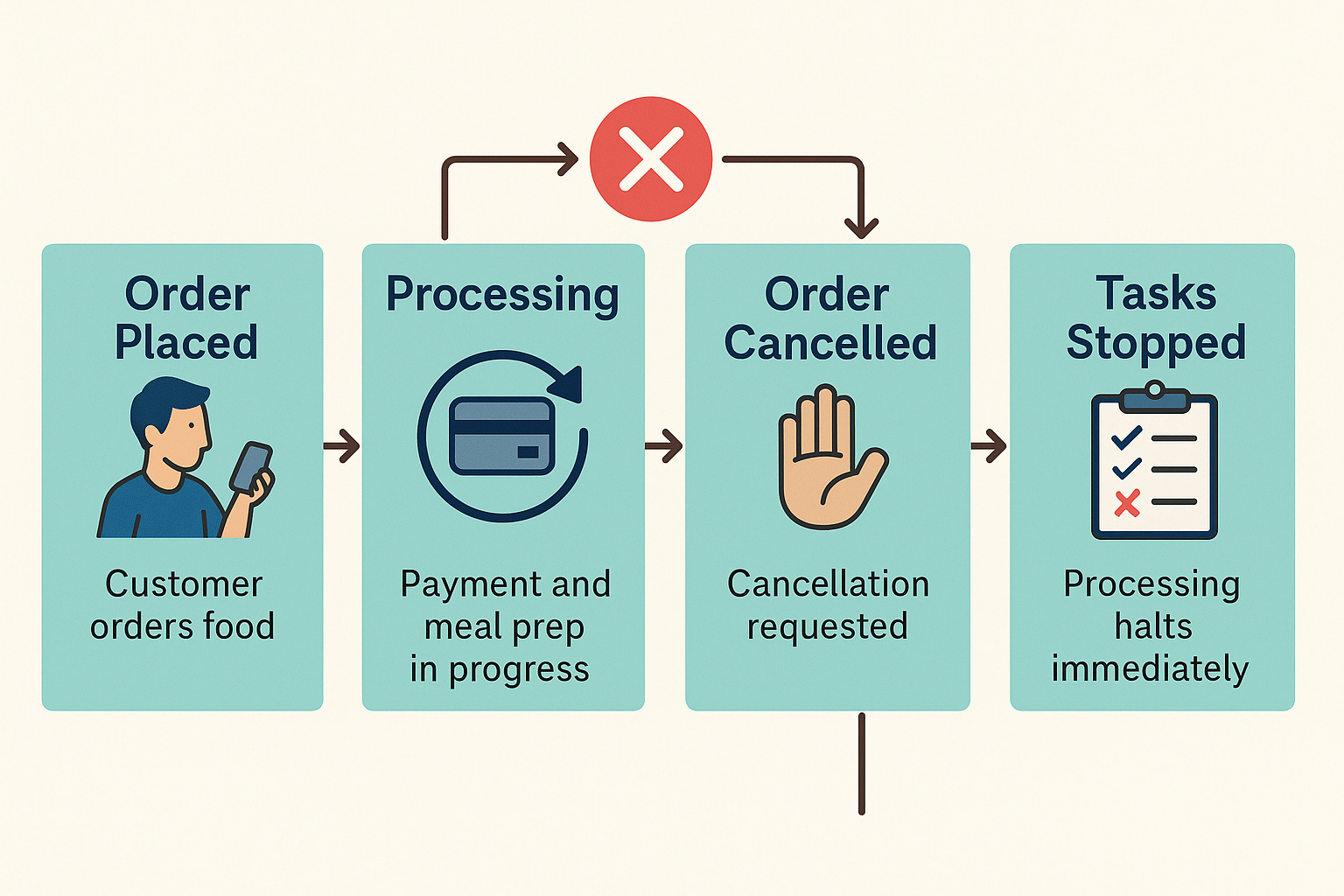
You place an order, but 2 minutes later, you realize you entered the wrong address and hit “Cancel Order.”
The kitchen shouldn’t continue cooking that pizza anymore, right?
That’s exactly what a CancellationToken does in .NET — it gives your application the ability to stop a task that’s no longer needed, saving time, resources, and frustration.
Let’s unpack this in a real, relatable way
What Is a CancellationToken?
A CancellationToken is like a “Cancel Button” that you can pass to running tasks.
It doesn’t stop tasks by itself.
It just signals: “Hey, if you can, please stop now.”
The task must listen to that signal and gracefully exit.
Real-Life Analogy: Food Delivery System
Let’s say we have three microservices:
Order Service – Receives customer orders.
Payment Service – Handles payments.
Kitchen Service – Prepares the food.
When a customer cancels the order, all ongoing related processes (payment confirmation, meal preparation, notification) should stop immediately.
Without a cancellation mechanism, your app might:
Still charge the customer
Continue preparing the food
Send “Your order is on its way” messages
Wasteful, right?
Let’s See It in .NET
Here’s how CancellationToken helps prevent such chaos.
Step 1: Customer Places Order
public async Task PlaceOrderAsync(CancellationToken cancellationToken)
{
    Console.WriteLine(”🍽️ Order received...”);
    await ProcessPaymentAsync(cancellationToken);
    await PrepareMealAsync(cancellationToken);
    Console.WriteLine(”✅ Order completed successfully!”);
}
Step 2: The Payment and Kitchen Services Respect the Token
public async Task ProcessPaymentAsync(CancellationToken token)
{
Console.WriteLine(”💳 Processing payment...”);
for (int i = 0; i < 5; i++)
{
token.ThrowIfCancellationRequested(); // 👈 Check before continuing
await Task.Delay(500); // Simulate work
}
Console.WriteLine(”💰 Payment successful.”);
}
public async Task PrepareMealAsync(CancellationToken token)
{
Console.WriteLine(”👨🍳 Preparing meal...”);
for (int i = 0; i < 10; i++)
{
token.ThrowIfCancellationRequested();
await Task.Delay(300);
}
Console.WriteLine(”🍕 Meal ready!”);
}
Step 3: The Customer Cancels the Order
var cts = new CancellationTokenSource();
var token = cts.Token;

var task = PlaceOrderAsync(token);

// Simulate user cancel after 1 second
await Task.Delay(1000);
cts.Cancel();

try
{
    await task;
}
catch (OperationCanceledException)
{
    Console.WriteLine(”🚫 Order cancelled by user.”);
}
Output
🍽️ Order received...
💳 Processing payment...
🚫 Order cancelled by user.
The payment and meal prep stop immediately once cancellation is requested — no wasted work.
Bonus: Cooperative Cancellation
The keyword is “cooperative.”
The CancellationToken doesn’t force-stop a thread — your code must check and respect it.
.ThrowIfCancellationRequested()→ throws exception to exit early.token.IsCancellationRequested→ allows conditional cleanup or custom exit.
Example:
if (token.IsCancellationRequested)
{
    Console.WriteLine(”🧹 Cleaning up before stopping...”);
    return;
}
Real-World Integration Example: API Endpoint
When you add cancellation to ASP.NET Core endpoints, it happens automatically:
[HttpGet(”orders/{id}”)]
public async Task<IActionResult> GetOrderDetails(string id, CancellationToken token)
{
    var order = await _orderService.GetOrderDetailsAsync(id, token);
    return Ok(order);
}
If the client closes the browser or cancels the HTTP request, the framework passes a cancellation signal — and your service gracefully stops work.
In Short
CancellationToken= “Hey task, you can stop now!”The task = “Got it, I’ll finish safely.”
Your system = responsive, resource-efficient, and user-friendly.
Just like canceling that pizza order before it hits the oven — saves time, effort, and money