


When we build a normal application, data management feels familiar.
We have something like:
Customer
Order
Product
Invoice
We put those records into:
Azure SQL
Cosmos DB
Blob Storage
and query them using:
SELECT *
FROM Orders
WHERE CustomerId = 1001;
Nothing surprising.
Then we start building an AI application and suddenly another word appears everywhere:
Vector
Then:
Embedding
Vector index
Vector database
Similarity search
Chunking
Hybrid search
RAG
At first it sounds like we need an entirely new way of storing our data.
We don’t.
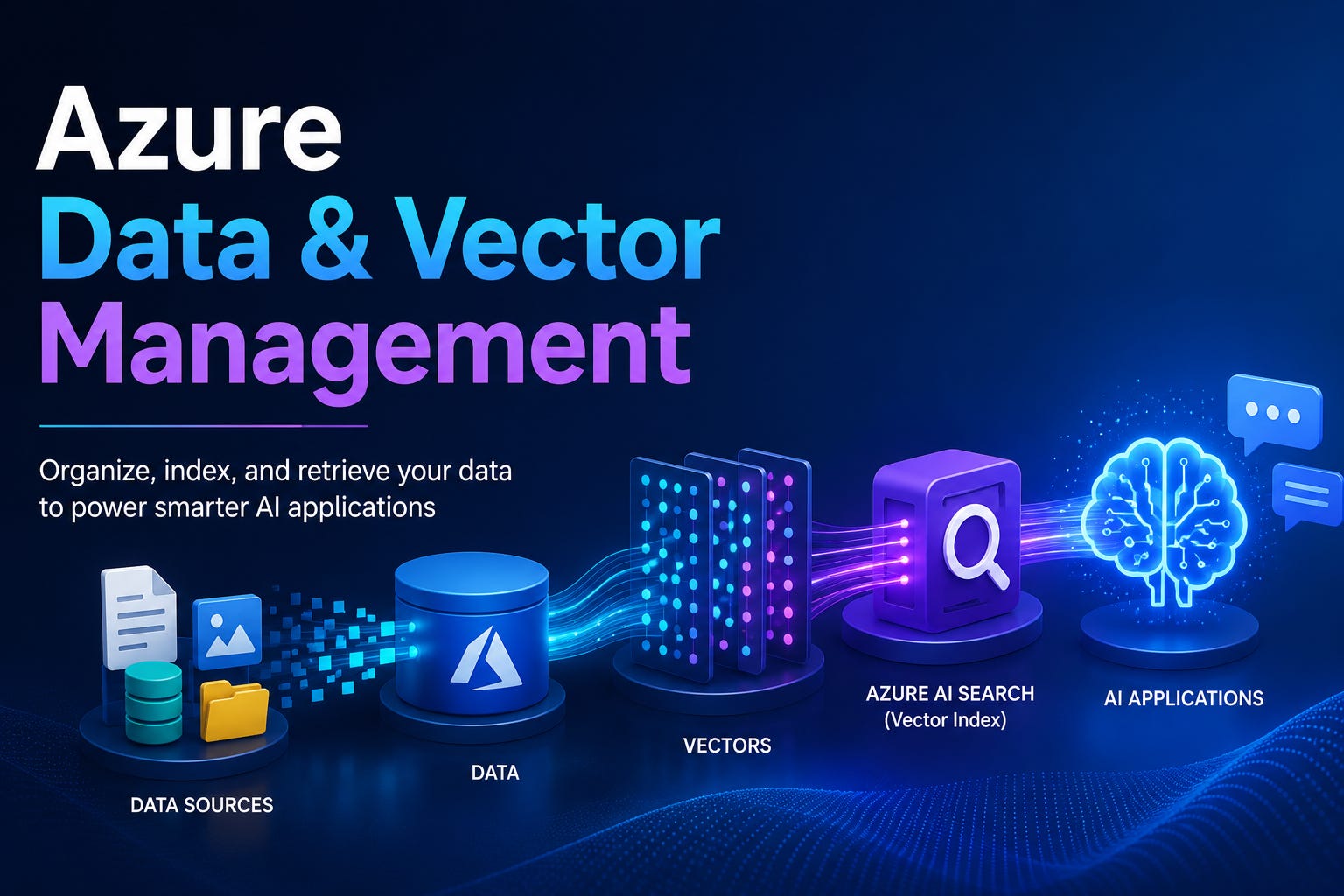
The easiest way I have found to understand Azure Data & Vector Management is this:
Keep your original business data as the source of truth. Create a searchable mathematical representation of the useful parts of that data so AI applications can find information by meaning rather than only by exact words.
Azure provides several services capable of storing or searching vectors, including Azure AI Search, Azure Cosmos DB, Azure SQL-related offerings, and other database options. For document-heavy retrieval and RAG scenarios, Azure AI Search is particularly useful because it supports text, metadata, vectors, filtering, semantic ranking, and hybrid retrieval in the same search index.
Let’s build a real example.
Our Example: An Internal Support Assistant
Imagine our company sells industrial equipment.
Over the years we have accumulated:
Product manuals
Installation guides
Troubleshooting PDFs
Warranty documents
Support procedures
Release notes
They are stored in Azure Blob Storage.
Maybe:
support-documents

├── pump-x100-manual.pdf
├── pump-x200-manual.pdf
├── installation-guide.pdf
├── warranty-policy.pdf
└── troubleshooting-guide.pdf
Now somebody asks:
Why does the X200 pump stop after running for approximately ten minutes?
A normal file search would look for words such as:
X200
pump
stop
ten minutes
But perhaps the manual actually says:
The unit automatically shuts down when the thermal protection circuit detects sustained overheating.
There is no exact phrase:
stops after ten minutes
Yet semantically, that paragraph is probably exactly what we want.
This is where vector search starts becoming useful.
Azure AI Search performs vector search over numeric representations of content, retrieving items whose vectors are closest to the query vector rather than relying exclusively on identical keywords.
1. Your Original Data Does Not Disappear
One important mistake is thinking:
PDF
 ↓
Vector
 ↓
Delete PDF
That isn’t the idea.
Our original file might remain in:
Azure Blob Storage
while Azure AI Search contains a searchable representation of it.
Think of the architecture like this:
             SOURCE OF TRUTH

          Azure Blob Storage
                 │
                 │
                 ▼
        pump-x200-manual.pdf

                 │
                 │ Extract
                 ▼

          Document Content

                 │
                 │ Split
                 ▼

              Chunks

                 │
                 │ Embed
                 ▼

              Vectors

                 │
                 ▼

          Azure AI Search
The Blob Storage file remains our actual document.
The search index is optimized for finding relevant portions of that document.
2. Why Do We Need Chunking?
Imagine our PDF contains 120 pages.
We could theoretically turn the entire manual into one giant embedding.
But think about what happens when somebody asks:
What does error code E104 mean?
If the whole 120-page manual is represented as one unit, our search result is:
pump-x200-manual.pdf
That isn’t particularly helpful.
The actual answer may exist on page 72.
Instead, we divide the document into smaller pieces.
For example:
pump-x200-manual.pdf

Chunk 001
Introduction

Chunk 002
Electrical requirements

Chunk 003
Installation procedure

...

Chunk 047
Thermal protection

Chunk 048
Error codes

Chunk 049
Restart procedure
Now each useful section can be retrieved independently.
Azure AI Search’s integrated vectorization capabilities can automate content chunking and embedding generation during indexing, and index projections can map those chunks into individual searchable documents.
A search record might therefore look conceptually like:
{
  "id": "pump-x200-047",
  "documentId": "pump-x200",
  "title": "Pump X200 Manual",
  "page": 71,
  "content": "The thermal protection system automatically...",
  "source": "pump-x200-manual.pdf"
}
That is ordinary data.
Then we add something unusual:
"contentVector": [
  0.017,
  -0.042,
  0.081,
  ...
]
That is the embedding.
3. What Exactly Is an Embedding?
Suppose we have this sentence:
The pump automatically shuts down when it overheats.
An embedding model converts its meaning into a collection of numbers.
Conceptually:
"The pump automatically shuts down when it overheats."

                    ↓

              Embedding model

                    ↓

[0.021, -0.114, 0.083, 0.015, ...]
That array is the vector.
Another sentence:
The device stops operating when the temperature becomes too high.
might produce another vector located close to the first one in the embedding space.
But:
The warranty lasts for three years.
would likely be much farther away.
This is the key idea.
We aren’t comparing sentences directly.
We compare their mathematical representations.
Azure AI Search supports approximate nearest-neighbor search using HNSW as well as exhaustive K-nearest-neighbor search. The engine uses similarity measurements to find vector candidates closest to the query.
4. Data Management and Vector Management Are Really Two Sides of the Same Record
This is where the topic starts becoming clearer.
Our search index should not contain only this:
Vector
It should normally contain:
Human-readable data
        +
Metadata
        +
Vector
For example:
{
  "id": "pump-x200-047",

  "documentId": "pump-x200",

  "title": "Pump X200 Manual",

  "category": "Troubleshooting",

  "product": "X200",

  "page": 71,

  "content":
    "The thermal protection system automatically shuts down...",

  "sourceUrl":
    "https://storage/.../pump-x200-manual.pdf",

  "contentVector": [
    0.021,
    -0.114,
    0.083
  ]
}
This is important because the vector answers:
Which records are semantically similar?
while the normal fields answer questions such as:
What document did this come from?

Which product does it belong to?

Which page?

Which customer can see it?

What should we display to the user?
Azure AI Search allows vector and nonvector fields to coexist inside the same index.
Keep the Momentum Going — Support the Journey
If this post helped you level up or added value to your day, feel free to fuel the next one — Buy Me a Coffee powers deeper breakdowns, real-world examples, and crisp technical storytelling.
5. Creating a Vector Index in .NET
Let us simplify the index definition.
Install:
dotnet add package Azure.Search.Documents
dotnet add package Azure.Identity
Then create the search client:
using Azure.Identity;
using Azure.Search.Documents.Indexes;

var endpoint =
    new Uri(
        "https://my-company-search.search.windows.net");

var indexClient =
    new SearchIndexClient(
        endpoint,
        new DefaultAzureCredential());
Microsoft currently recommends Microsoft Entra ID and role-based access for Azure AI Search rather than keeping API keys in application configuration where possible.
Now our fields might conceptually look like this:
var fields = new List<SearchField>
{
    new SimpleField(
        "id",
        SearchFieldDataType.String)
    {
        IsKey = true,
        IsFilterable = true
    },

    new SearchableField(
        "title"),

    new SearchableField(
        "content"),

    new SimpleField(
        "product",
        SearchFieldDataType.String)
    {
        IsFilterable = true,
        IsFacetable = true
    },

    new SimpleField(
        "sourceUrl",
        SearchFieldDataType.String),

    new SearchField(
        "contentVector",
        SearchFieldDataType.Collection(
            SearchFieldDataType.Single))
    {
        IsSearchable = true,

        VectorSearchDimensions =
            embeddingDimensions,

        VectorSearchProfileName =
            "content-vector-profile"
    }
};
Notice the design.
Most fields still look completely normal.
Only:
contentVector
is special.
The vector field’s dimensions must match the embedding model used to create those embeddings. Azure AI Search indexes define vector fields together with vector-search configurations and profiles.
6. HNSW and the Vector Profile
We can then configure the vector-search algorithm.
Simplified:
var vectorSearch =
    new VectorSearch();

vectorSearch.Algorithms.Add(
    new HnswAlgorithmConfiguration(
        "content-hnsw"));

vectorSearch.Profiles.Add(
    new VectorSearchProfile(
        "content-vector-profile",
        "content-hnsw"));
And attach it:
var index =
    new SearchIndex(
        "support-knowledge",
        fields)
    {
        VectorSearch =
            vectorSearch
    };

await indexClient
    .CreateOrUpdateIndexAsync(index);
You don’t need to understand HNSW mathematics before using vector search.
A practical mental model is enough:
Millions of vectors
       ↓
Build a structure that groups
nearby vectors efficiently
       ↓
Search nearby candidates
instead of comparing everything
HNSW is Azure AI Search’s approximate-nearest-neighbor option; exhaustive KNN is available when a brute-force comparison is appropriate.
7. Now We Need to Populate the Vector
Imagine our application extracts this chunk:
string chunk = """
The X200 thermal protection system automatically
stops the motor when sustained overheating is detected.
Allow the unit to cool before restarting.
""";
We pass it to an embedding model.
I normally hide the vendor SDK behind an application interface:
public interface IEmbeddingService
{
    Task<float[]> CreateEmbeddingAsync(
        string text,
        CancellationToken cancellationToken);
}
Then:
float[] vector =
    await embeddingService
        .CreateEmbeddingAsync(
            chunk,
            cancellationToken);
Now we create a search document:
var document =
    new
    {
        id = "pump-x200-047",

        documentId = "pump-x200",

        title = "Pump X200 Manual",

        product = "X200",

        content = chunk,

        sourceUrl =
            "https://storage/.../pump-x200-manual.pdf",

        contentVector = vector
    };
And upload it into Azure AI Search.
SearchClient searchClient =
    indexClient.GetSearchClient(
        "support-knowledge");

await searchClient.UploadDocumentsAsync(
    new[] { document });
At this point we have transformed:
Document
   ↓
Text
   ↓
Chunk
   ↓
Embedding
   ↓
Search record
That is the ingestion side of vector management.
8. What Happens When the User Searches?
Now the user asks:
Why does my X200 stop after a few minutes?
We generate another embedding.
float[] queryVector =
    await embeddingService
        .CreateEmbeddingAsync(
            question,
            cancellationToken);
Then create a vector query:
var vectorQuery =
    new VectorizedQuery(
        queryVector)
    {
        KNearestNeighborsCount = 5
    };

vectorQuery.Fields.Add(
    "contentVector");
We ask Azure AI Search for the nearest chunks.
Conceptually:
User question
      ↓
Embedding
      ↓
Query vector
      ↓
Azure AI Search
      ↓
Compare against content vectors
      ↓
Top 5 closest chunks
The result might be:
1. Pump X200 Manual — Thermal Protection
2. Pump X200 Troubleshooting — Overheating
3. X200 Installation Guide — Ventilation
4. Maintenance Manual — Motor Temperature
5. X100 Manual — Thermal Protection
Notice what happened.
The user never typed:
thermal protection
but the search engine still found it.
That is the value of semantic similarity.
9. Vector Search Alone Is Not Always the Best Search
Suppose the user asks:
What does error E104 mean on X200?
Vector search understands meaning.
But:
E104
is also an extremely precise keyword.
This is where hybrid search becomes particularly valuable.
Azure AI Search can execute normal full-text search and vector search in the same request. The results are then combined using Reciprocal Rank Fusion.
Think:
                   USER QUERY

                       │
          ┌────────────┴────────────┐
          │                         │
          ▼                         ▼

     Keyword Search            Vector Search

        E104                  semantic meaning

          │                         │
          └────────────┬────────────┘
                       │
                       ▼

                Combined ranking
For real RAG applications, I generally prefer thinking about:
Keyword
+
Vector
+
Metadata filters
rather than assuming vector search should replace everything else.
10. Metadata Is More Important Than It Looks
Suppose our search contains manuals for:
X100
X200
X300
The user asks:
Why is the motor overheating?
Semantic search may find excellent information from all three products.
But perhaps the user is currently viewing:
Product = X200
So our application can apply a filter.
Conceptually:
Semantic similarity
        +
product eq 'X200'
Now:
Relevant meaning
        +
Correct business context
This is why I wouldn’t design a vector index as:
ID
Vector
and call it finished.
Keep useful metadata.
For example:
TenantId
CustomerId
ProductId
DocumentType
Department
Language
CreatedDate
SecurityGroup
SourceUrl
Version
Vectors tell us what is similar.
Metadata tells us what is allowed and relevant.
11. Vector Management Is Mostly Lifecycle Management
Generating vectors is actually the easy part.
The harder question is:
What happens when the original data changes?
Suppose:
pump-x200-manual-v1.pdf
is replaced by:
pump-x200-manual-v2.pdf
The new manual changes the overheating procedure.
If our search index still contains embeddings created from version 1, our AI system may return outdated instructions.
So we need:
Source data lifecycle
        ↓
Vector lifecycle
to move together.
The desired relationship is:
Source created
   ↓
Create chunks + vectors

Source updated
   ↓
Update affected chunks + vectors

Source deleted
   ↓
Delete corresponding indexed chunks

Embedding model changed
   ↓
Re-embed the corpus
Azure AI Search indexers can support incremental change detection, and for supported data sources changes can flow through chunking and index projections into the search index. Blob change detection is built in for indexers, while deletion handling depends on the configured data source and deletion-detection approach.
This is vector management in the practical enterprise sense.
Not merely storing floating-point numbers.
12. Keep the Embedding Model Version
I like storing metadata such as:
{
  "embeddingModel": "my-embedding-deployment",
  "embeddingVersion": "2026-08",
  "documentVersion": "5"
}
Why?
Suppose six months later we change our embedding model.
Our existing vectors were created in one embedding space.
New vectors are created using another.
Mixing incompatible embeddings can break the meaning of similarity comparisons.
A safer migration is:
Existing index
      ↓
Create new index

support-knowledge-v2
      ↓
Re-chunk if needed
      ↓
Generate all embeddings
with the new model
      ↓
Validate retrieval
      ↓
Switch application
      ↓
Retire old index
Think of the search index as something we should be able to rebuild from the underlying source data.
That mindset makes migrations much easier.
13. Where Does RAG Fit?
Now we have reached the point where vector management connects to generative AI.
Our user asks:
Why does the X200 stop after several minutes?
The application performs retrieval:
Question
   ↓
Azure AI Search
   ↓
Relevant chunks
Perhaps we get:
Chunk 47:
"The thermal protection system automatically
stops the motor when sustained overheating..."

Chunk 48:
"Verify ventilation openings are not blocked..."

Chunk 52:
"Allow the unit to cool for at least..."
Then we give those chunks to the language model.
User question
        +
Retrieved company data
        ↓
Language model
        ↓
Grounded answer
That is the core idea behind Retrieval-Augmented Generation.
Microsoft’s current Foundry guidance describes RAG as an appropriate pattern when applications need responses grounded in private or frequently changing information; Azure AI Search supports retrieval across vector and textual data for those scenarios.
14. Do We Always Need Azure AI Search?
No.
This is an architecture decision.
If our application already stores operational documents in Cosmos DB and needs vector search directly beside those records, Azure Cosmos DB can store vectors alongside normal document properties and perform vector indexing and similarity search.
If our workload is heavily relational and we want structured queries and vector operations near relational data, Microsoft’s current Azure vector-service guidance also includes database-oriented options.
But for something like:
Thousands of PDFs
Knowledge articles
Product manuals
Support documents
Hybrid search
Metadata filtering
RAG
Azure AI Search is a very natural fit.
15. Security Cannot Be Added at the End
Imagine we have HR documents and engineering documents inside the same knowledge system.
Vector search discovers:
semantically similar information
It does not automatically mean:
information this particular employee is permitted to read
So our data model should carry authorization context where necessary.
For example:
{
  "department": "Engineering",

  "allowedGroups": [
    "engineering-users",
    "engineering-managers"
  ]
}
Retrieval must respect the user’s authorization before content is supplied to an LLM.
For Azure AI Search service access itself, Microsoft recommends Microsoft Entra ID and RBAC, and the service provides built-in roles for managing and querying search resources.
The principle is simple:
LLM must never become
a shortcut around authorization.
16. The Architecture I Would Build
For our support assistant, I would start with:
                   Azure Blob Storage
                          │
                          │
                          ▼
                 Product Documents
                          │
                          │
                          ▼
                Ingestion Pipeline
                          │
              ┌───────────┴───────────┐
              │                       │
              ▼                       ▼
           Chunking              Metadata
              │
              ▼
       Embedding Generation
              │
              ▼
        Azure AI Search
              │
              │
              ▼
          Vector Index
              │
              ▼
     ┌──────────────────────┐
     │                      │
     │ Text                 │
     │ Metadata             │
     │ Embeddings           │
     │ Source information   │
     │ Version information  │
     │                      │
     └──────────┬───────────┘
                │
                │ Hybrid retrieval
                ▼
          .NET Application
                │
                ▼
          Language Model
                │
                ▼
            User Answer
That architecture keeps the responsibilities clear.
Blob Storage owns the original document.
The embedding model understands meaning.
Azure AI Search manages retrieval.
The .NET application controls orchestration and authorization.
The LLM generates the final response.
17. The Mental Model I Keep
When somebody says:
Data & Vector Management
I don’t picture a special magical AI database.
I picture this pipeline:
RAW DATA

PDF
Word
JSON
Database rows
Images

        ↓

EXTRACT

Useful content

        ↓

CHUNK

Small meaningful pieces

        ↓

EMBED

Text → Vector

        ↓

STORE TOGETHER

Content
+
Metadata
+
Vector

        ↓

INDEX

Create efficient similarity search

        ↓

QUERY

Question → Vector

        ↓

RETRIEVE

Nearest relevant chunks

        ↓

FILTER

Apply product / tenant /
security / business rules

        ↓

GENERATE

Give trusted context
to the language model
And then there is one more arrow that is easy to forget:
SOURCE DATA CHANGES
        ↓
UPDATE THE VECTOR INDEX
That final step is what turns a demo into a maintainable production system.
Final Thought
The vector itself isn’t really the interesting part.
It is just a mathematical representation.
The real engineering challenge is keeping this relationship healthy:
Original Data
     ↕
Metadata
     ↕
Chunks
     ↕
Embeddings
     ↕
Vector Index
If the original document changes, the searchable representation must eventually change.
Keep the Momentum Going — Support the Journey
If this post helped you level up or added value to your day, feel free to fuel the next one — Buy Me a Coffee powers deeper breakdowns, real-world examples, and crisp technical storytelling.
If the document is deleted, stale vectors should not continue appearing in search.
If permissions change, retrieval must respect them.
If the embedding model changes, we need a controlled reindexing strategy.
If our users search by exact identifiers such as E104, keyword search still matters.
If they search by meaning such as:
Why does the machine shut itself down
after getting hot?
vector search becomes extremely valuable.
That is why I think of Azure Data & Vector Management not as another isolated Azure feature, but as the data layer behind modern AI applications.
The traditional data tells us:
What do we actually know?
The vectors help answer:
Which part of what we know
is most relevant to this question?
And when those two are managed together properly, RAG and enterprise AI applications start becoming much easier to reason about.