


When working with Azure, two services that often appear together are Azure Batch Account and Azure Storage Account. Although they are frequently used in the same solution, they serve completely different purposes. One is responsible for processing workloads, while the other is responsible for storing data. Understanding their individual roles is essential for designing scalable cloud applications.
Azure Storage Account – The Data Repository
An Azure Storage Account is designed to store and manage data securely. It acts as the foundation for many Azure services by providing highly available and durable storage.
Some of its primary responsibilities include:
Storing files, images, videos, and documents
Hosting Blob Storage for unstructured data
Providing File Shares for shared storage
Maintaining Queue Storage for messaging
Supporting Table Storage for NoSQL data
Storing Virtual Machine disks
A Storage Account does not process data or execute code. Its only responsibility is to make data available whenever applications or services need it.
Azure Batch Account – The Compute Orchestrator
An Azure Batch Account is built for executing large-scale compute workloads. Instead of storing data, it manages compute resources and distributes work across multiple Virtual Machines.
Its primary responsibilities include:
Creating pools of Virtual Machines
Scheduling thousands of parallel tasks
Managing job execution
Monitoring task progress
Automatically retrying failed tasks
Scaling compute resources up and down
Cleaning up resources after completion
Azure Batch is commonly used for:
Video transcoding
Image rendering
Scientific simulations
Financial risk analysis
AI and Machine Learning preprocessing
Large-scale file conversions
How They Work Together
In most real-world solutions, these services complement each other.
A typical workflow looks like this:
Upload input files to an Azure Storage Account.
Submit a job to Azure Batch.
Azure Batch provisions a pool of compute nodes.
Each node downloads the required files from Storage.
Tasks execute in parallel across multiple nodes.
Processed results are uploaded back to Storage.
Batch removes unused compute resources to optimize costs.
Notice that Storage never performs computation, and Batch never permanently stores data. Each service focuses on its own responsibility.
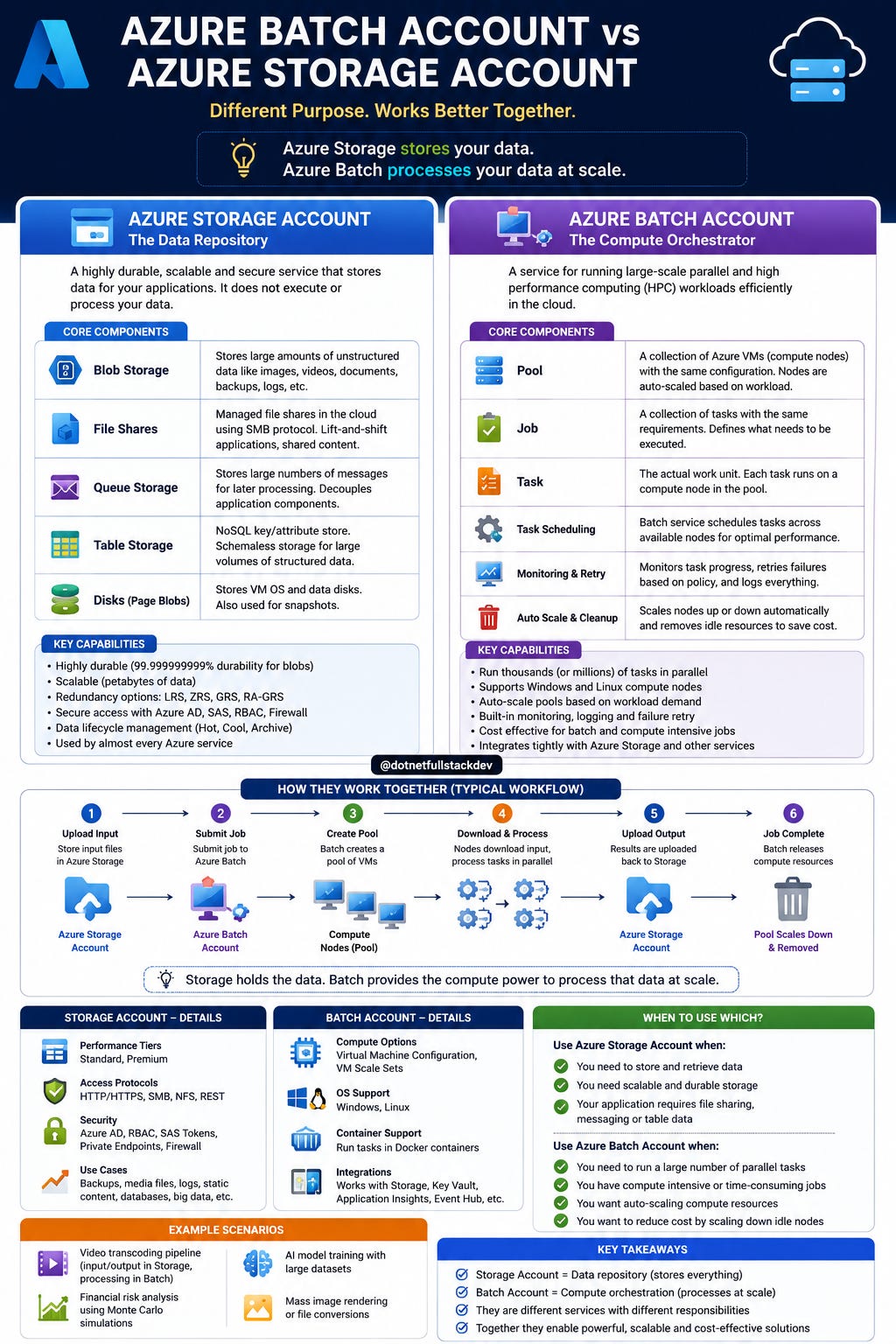
Key Differences
Azure Storage Account
Focuses on data storage
Stores files, blobs, queues, and tables
Highly durable and scalable
Charged based on storage usage and transactions
Used by almost every Azure application
https://www.youtube.com/@DotNetFullstackDev
Azure Batch Account
Focuses on compute execution
Creates and manages compute nodes
Executes jobs in parallel
Charged mainly for the underlying compute resources
Designed for high-performance batch processing
When Should You Use Each?
Use Azure Storage Account when your goal is to securely store and retrieve data.
Use Azure Batch Account when you need to process thousands or millions of independent tasks efficiently.
If your application needs to process large datasets, don’t choose one over the other—use them together. Store the data in Azure Storage, let Azure Batch process it at scale, and save the results back to Storage.
Final Thought
A simple way to remember the difference is:
Azure Storage Account answers: “Where should my data live?”
Azure Batch Account answers: “How can I process this data efficiently at scale?”
Keep the Momentum Going — Support the Journey
If this post helped you level up or added value to your day, feel free to fuel the next one — Buy Me a Coffee powers deeper breakdowns, real-world examples, and crisp technical storytelling.
One stores the data, the other transforms it. Together, they provide a scalable and cost-effective foundation for high-performance cloud workloads.